 Pay4SaaS
Deploy
Vercel Domain Binding and Website Launch
After purchasing an international domain, how do you configure it to connect to our environment deployed on Vercel?
- Log in to Vercel and select the project we've already deployed.
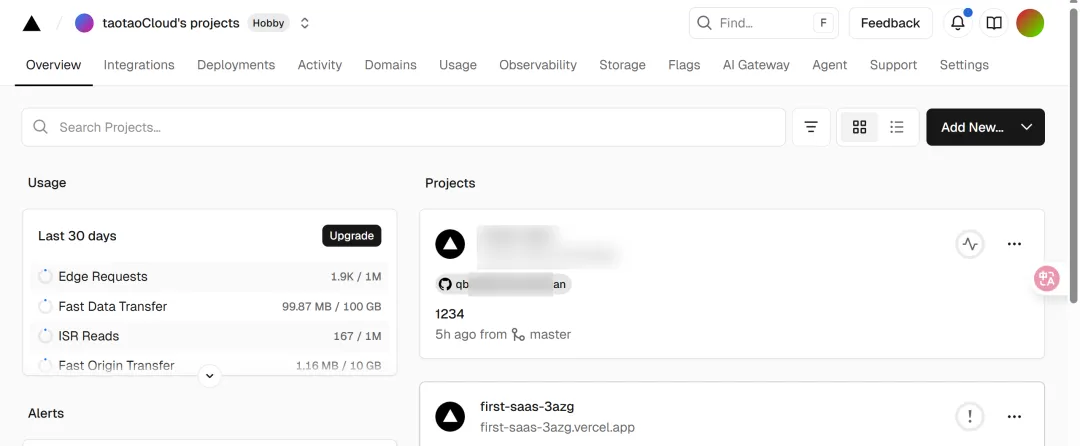
- Click Domains, then Add Domain.


- Enter the purchased domain, and select production environment below.
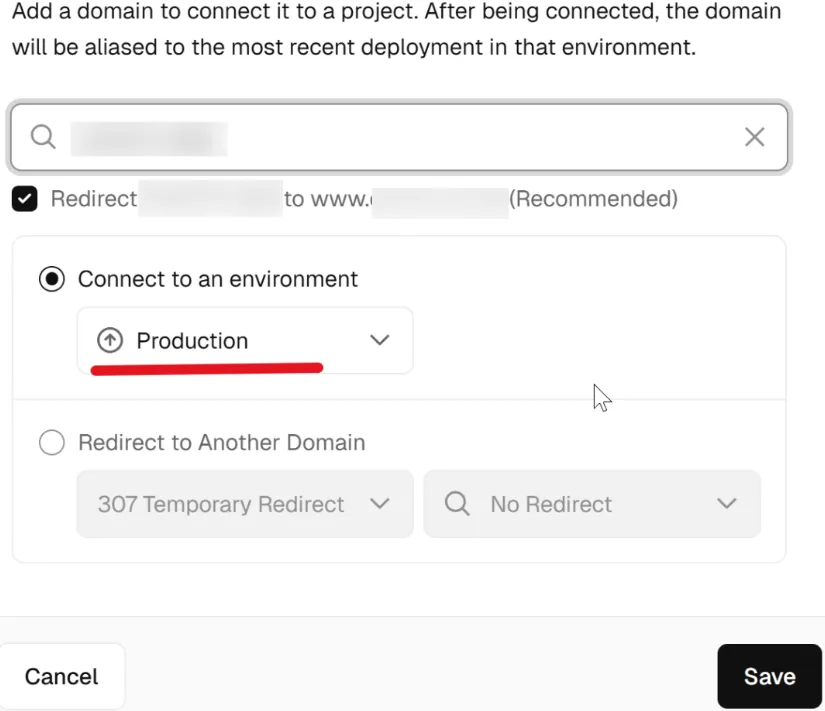
Then, expand these 2.
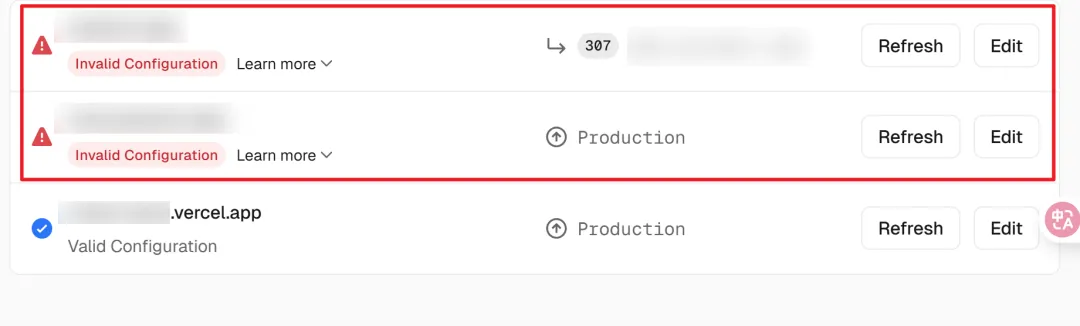
Information similar to this will appear.
Type: A
Name: @
Value: 76.88.21.23
Type: CNAME
Name: www
Value: cname.vercel-dns.com
Don't close this page yet, we'll need it in a moment.
- Open Namecheap and go to the dashboard panel.
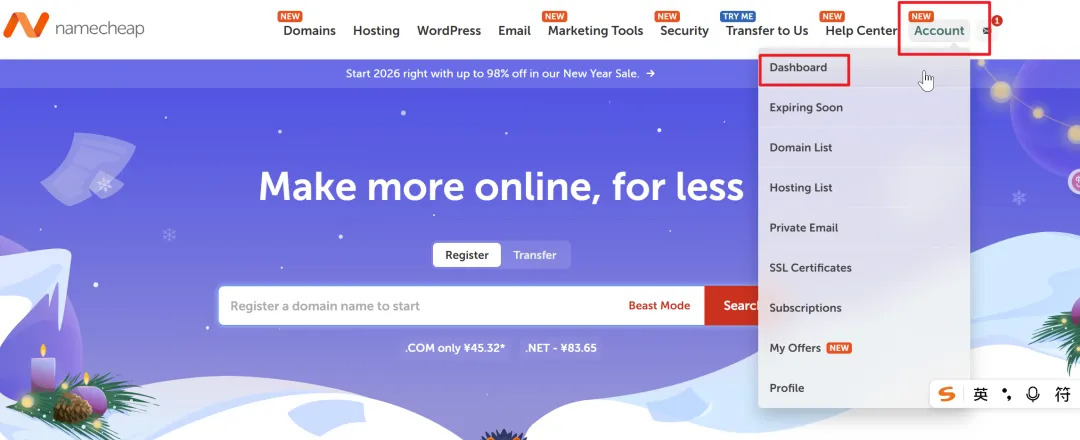
- Find our domain and click Manage.
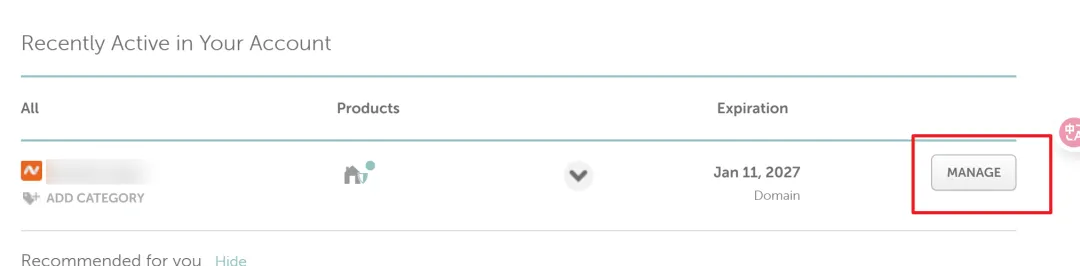
- Click Advanced DNS.

- Then, fill in the corresponding information from above.
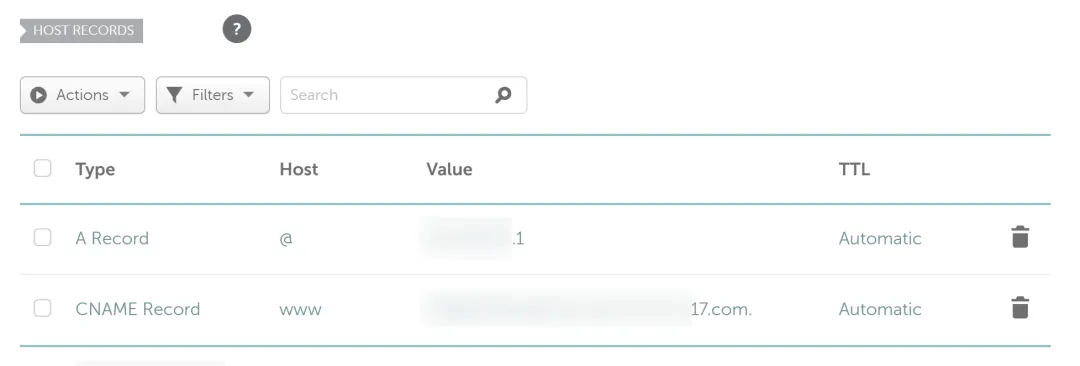
- Check if it's working. Then, go back to Vercel, wait 1-2 minutes, and you should see this.
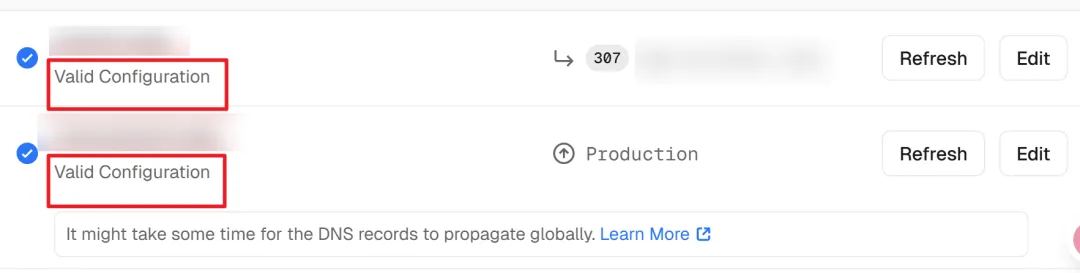
Then, you can click on our newly purchased domain to see our website. It takes just a few minutes to configure.
Friendly Tip
What if the development isn't finished yet and you just want to briefly test if the domain works, but don't want to go live?
Simply go to the Vercel Domains menu, click Edit, and Remove to delete these configurations. When you want to reactivate it, just come back to this menu and add the domain again to access it online.