First, Stripe and Creem — straightforward choices. If you have an overseas company, go with Stripe. If not, Creem is the way.
If you also have a domestic (Chinese) audience and want to make payments convenient for them, use Alipay. Integrating Alipay requires ICP filing, which means you'll need a domestic server and domain — just follow the standard process.
A nice bonus: for the same product price, Alipay's transaction fees can be 10x lower than overseas payment providers.
That leaves PayPal.
02
I used to think offering more payment options was better — so I put two buttons on the checkout page: one for Creem, one for PayPal.
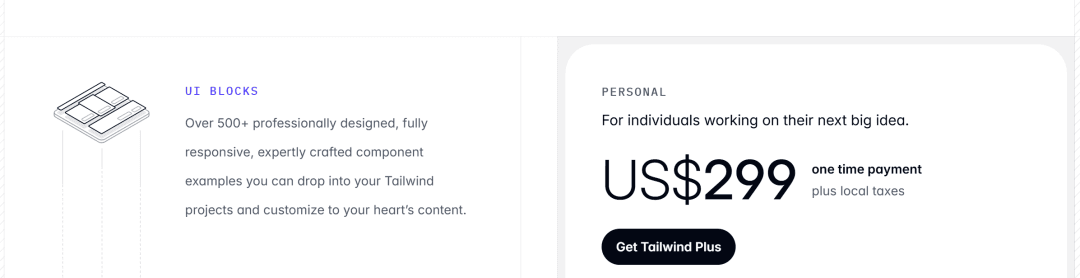
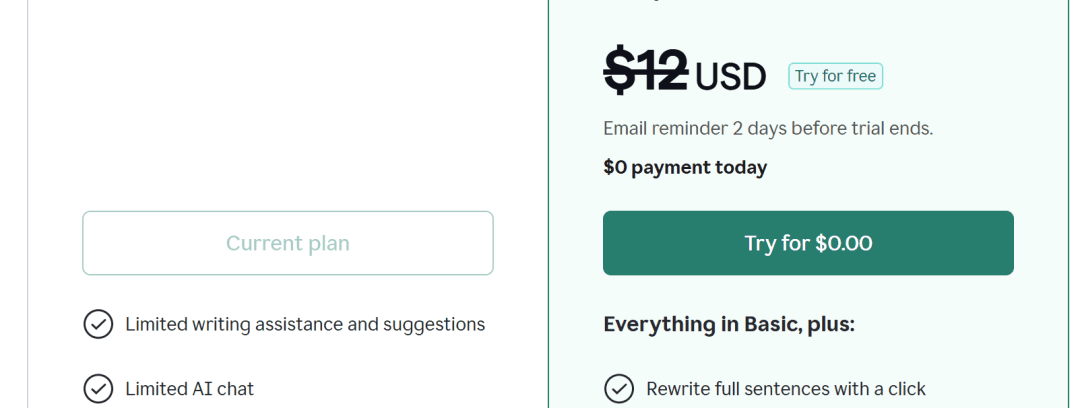
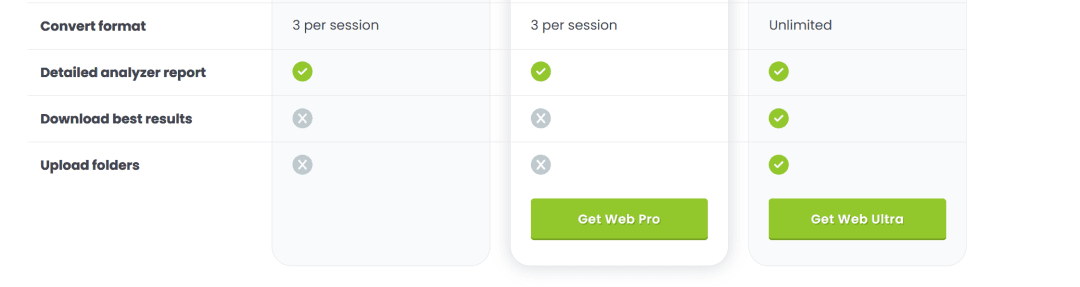
But recently I noticed something. Many top products only show a single payment option on their pricing page. The button just says "Buy Now" or "Get XX" — no hint of any specific payment method.
Big names like ChatGPT and Claude do this, of course. But so do smaller, polished products like —
Tailwind CSS
Grammarly.
TinyPNG.
So why do these best-in-class products only show one payment option?
Here's my analysis.
Payment is a high-stakes action. First, you want to prevent accidental clicks and payment confusion.
Second, multiple payment buttons create "choice overload" — users start comparing which option is better instead of just paying.
Most importantly, payment is fundamentally an act of trust. You want users to focus all their attention on the "should I buy" decision — not on "which method should I use."
So, PayPal should serve as a fallback payment option for international users — nothing more.
You might ask: why not make PayPal the primary option instead? Here's why.
- PayPal is terrible at handling upgrades and downgrades — even their own docs acknowledge this.
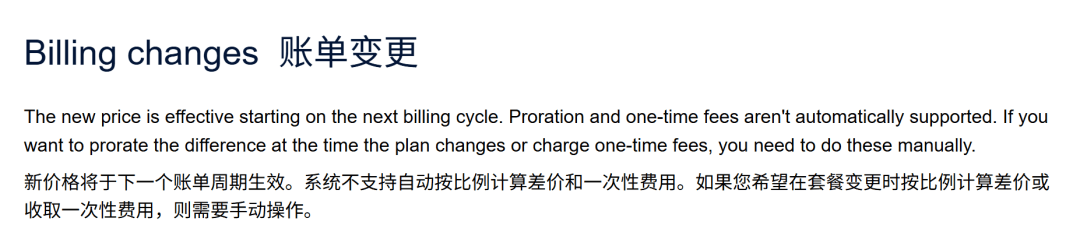
In short: when a user upgrades today, they get the premium service for free for the remaining billing period — and we eat the cost. On top of that, the user might file a chargeback during this window.
That's why when I built Pay4SaaS, I deliberately chose not to support PayPal upgrades/downgrades — to protect our revenue.
Meanwhile, Stripe and Creem handle subscription upgrades/downgrades, prorated billing, and webhook notifications far more robustly.
Why not default to the better option? That said, just because we don't support PayPal upgrades/downgrades doesn't mean users won't need them. How to deliver a great user experience without sacrificing our own interests — Pay4SaaS has already solved this contradiction.
- Credit card users already include PayPal users.
PayPal is essentially a credit card wrapper — by integrating Stripe or Creem, you've already covered these users. They can pay directly with their card without the extra hop through PayPal.
- PayPal requires more steps to complete a payment — users must log into their account and click through 2–3 pages before checkout is done.
Although I'd already handled this in Pay4SaaS — once a user pays with one method, the pricing page only shows that method's button — this time I decided to go further.
From the very start, show just one button. Use a single, clean label. No "Credit Card," no payment provider logos — just clean.
03
Choosing how to display payment options looks like a technical decision on the surface, but it's really a user psychology problem.
Fewer choices means less friction.
Fewer options, faster checkout, higher conversion.
The logic isn't hard to understand. But when you're actually building it, you can't help thinking "what if a user really wants PayPal?" — and you add another button.
I've been studying design since high school and spent 9 years in frontend development. I've fallen into countless UI traps.
The counterintuitive conclusion I've reached is this —
True great user experience comes from restraint. Restraint is design.
By the way, Pay4SaaS fully supports all four payment methods — Stripe, Creem, PayPal, and Alipay — switchable via environment variables, zero code. The pricing page works the same way: 4 pricing models, config-driven, auto-adaptive. Check it out at pay4saas.cn.